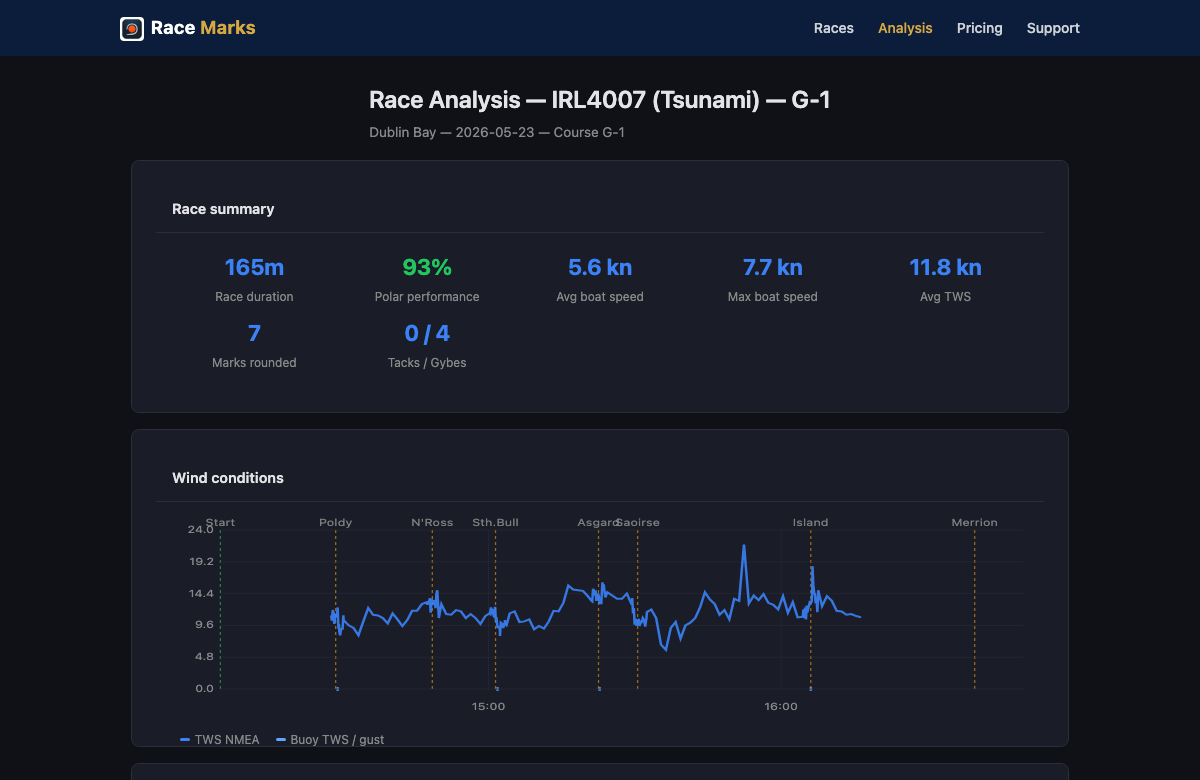
The headline: after every race you can now open a full post‑race analysis — leg‑by‑leg wind, speed and performance — see live optimal leg times on the dashboard while you sail, and export your track as GPX to share or analyse anywhere. The website also gains race‑day weather pages for every start.
Post‑race analysis (NEW · web)
New post‑race analysis page — race summary, wind, speed and per‑leg detail. (New in 1.3.0 — no prior version.)
Interactive post‑race analysis — break a finished race down leg‑by‑leg with wind, boat speed and a polar‑performance summary.
Each leg detail header shows a performance lozenge at a glance.
On the water
Optimal leg times on the dashboard — the in‑race dashboard now shows wind‑aware target times per leg, with a clearer two‑mode (countdown → elapsed) timer.
Send‑to‑boat — one unified button to share your position / course.
The active‑navigation banner now hides once the race is finished, and the Live Activity dismisses on finish.
The post‑race “what was captured” summary appears inline above Save / Discard and reflects the real captured data.
[image needed: live dashboard with optimal leg times + two‑mode timer (after) — source: assets/img/screenshots/active_nav_navigator_*.png via `npm run capture`, or a fresh sim capture]
GPX export (NEW)
Export your race track as a GPX file and share it from the share sheet — including a per‑boat GPX settings panel, an Export action in the course‑details dialog, and a one‑tap test export.
[image needed: GPX export from course‑details dialog (after) — source: assets/img/screenshots/course_details_sailor_*.png or sim capture]
Race‑day weather on racemarks.app (NEW · web)
Per‑club race‑window pages with a cached weather + marine forecast for each start.
Tide panel (high/low lozenges, coefficients, interactive curve) and forecast‑drift charts (observed vs forecast wind).
Start lists grouped by fleet, cards collapsed to one per club/day, each showing the wind warning + start times at a glance.
[image needed: race‑window weather page (after) — source: a populated racemarks.app/race/w/<window> preview deploy, or PR #411 / #449 preview]
Committee / admin
New Live Activity dashboard for monitoring active races, club edit with soft‑delete + restore, and a live diagnostics console.
Locked‑screen race telemetry keeps recording — tracking now survives the screen locking.
More robust NMEA recording (post‑finish grace window + resilience to stream hiccups) — fewer dropped recordings.
Multi‑boat fixes: trusted‑networks settings stay in sync, and the boat picker carries the selected boat through.
Shared race‑session deep links open the app reliably (and resume after install).
The “Season Pass” subscription is now called “Sailor”.
Coming next (preview, not in this build): a major analysis upgrade — a linked crosshair across all charts, a leg‑track “rolling road”, a wind‑relative heading axis with no‑sail band, a dynamic beat zone, and honest wind‑data provenance.
2 May 2026 v1.2.0+80 (in beta)
Multi‑Boat — Switch Boats and Your Instruments Follow
The headline: add as many boats as you sail in Settings > My Boats. Switch active boat and your instruments, polars and trusted networks follow — no restart.
Multi‑Boat (NEW)
Add multiple boats in Settings > My Boats — set active, edit details, delete
Per‑boat instrument config (Pro) — NMEA feed, route sending and trusted networks all bound to the active boat
WiFi auto‑switch (Pro) — connect to a known boat WiFi and the app prompts to switch active boat
Single‑boat users migrated automatically — your existing setup carries through
ISORA 2026
Full navigation, no upsell — tap any ISORA event and the Pro features are unlocked for the series
Stability & Polish
Subscription changes apply immediately — no app restart needed
Race telemetry more resilient when backgrounded or briefly offline
Onboarding flow tightened — no more double welcome screens
Tides, marine‑obs and weather cards hidden when stale rather than showing old data
Wind unit normalisation and gust thresholds in WeatherConfig
Big release. Headline themes: live instrument data over NMEA and Signal K; ISORA event support with race schedule and per‑race documents; course card and documents UX polish; per‑club feature rollout controls.
NMEA Instrument Support (NEW)
TCP connection to an onboard NMEA server (B&G, Raymarine chartplotters, etc.) — Settings > My Boat > NMEA Connection, enter your server IP and port
Live TWS/TWD on the nav dashboard, auto‑smoothed with multi‑rate tracking
Source‑level tracking with TTL and dedup when multiple talkers send the same data
Trusted Networks — auto‑attach only when on a known boat WiFi
TWS vs TWD 2D correlation chart on the NMEA connection page
Long‑press the wind display to pick source and adjust smoothing
Signal K Support (NEW)
Publish your active course to a Signal K server — your next waypoint flows to the chartplotter automatically
Auth flow with access request and pending state
Route ID validation with inline error display
Settings > My Boat > Signal K
ISORA Support (NEW)
Three events available — Irish Coastal, Welsh Coastal, Offshore
Tablet finish banner displays correctly after crossing finish
Timer ticker restarts after SYNC to phase‑align with synced time
Wind detail panel is now reactive (updates when wind changes)
Navigation engine rewrite for better accuracy and responsiveness (v1.0.19)
Please test:
Pre‑start to finish — full flow on both phone and tablet
SYNC alignment — confirm your countdown phase‑aligns to the committee's gun
Leg timer bar — sanity‑check TBS/TWA against known course distances
Live race sharing — create a share link and open on another device, verify updates
iOS Live Activity — start a race and check the Dynamic Island/Lock Screen
Tier gating — verify SYNC is hidden when the user lacks Navigator access
16 March 2026 v1.0.18+34
iPad Cockpit Layout, Nav Dashboard Refresh, Course Diagrams & Onboarding
iPad Cockpit Layout
Split‑screen cockpit — on tablets (iPad and large Android), the nav dashboard becomes a two‑panel view: hero navigation data on the left, course diagram and mark list on the right.
Hero metrics — distance to mark (DTW) and bearing (BTW) displayed in large, glanceable numbers that scale with screen size. Active mark icon with rounding indicator.
Detail panel — tapping a mark shows wind details in the chart area instead of a bottom sheet, for seamless sidecar viewing.
Navigation Dashboard Refresh
Course info header — new pill badges showing course ID, wind bearing, VHF channel and start location at the top of active navigation.
Enhanced mark tiles — rounding direction (port/starboard icons), pre‑calculated leg time, next‑leg wind context (TWA/AWA), point‑of‑sail colour coding.
Collapsible wind and mark controls — reduces on‑screen clutter so you can focus on sailing.
TWD long‑press opens the bearing picker for direct dial‑in of true wind direction.
Completed long‑press abbreviation legends (BS, kn, opt, etc.) — long‑press any abbreviation to see what it means.
Landscape support on phones with collapsible sidebar for wind/mark controls.
Course Diagram Improvements
Four chart modes — Course Static, Course Animated, Mark Static, Mark Animated. Toggle via long‑press context menu on the diagram.
Belt vs Track — "Belt" shows realistic rounding arcs at each mark; "Track" draws straight legs.
Mark icon sizing — slider to scale mark icons from 0.5x to 2.0x for visibility preference.
Active mark highlighting — current mark shown larger with thicker stroke; passed marks dimmed, upcoming marks at medium opacity.
New Onboarding
Location‑aware club discovery — the app detects your location and suggests nearby sailing grounds.
Welcome flow shows every launch until you pick a sailing ground — not a one‑time gate.
Interest form for coming‑soon sailing grounds — register before a club goes live.
Also New
Custom Courses — create your own mark sequences with the mark picker, set rounding order, and the app auto‑navigates to the nav dashboard after creation.
Race Timer — 5‑min and 4‑min gun preset buttons for quick start sequences.
Compact direction indicators on course sequence.
Bug Fixes
Event switch no longer shows stale 2025 data under the 2026 season
Layout overflow fixed on smaller screens (course editor, bearing picker, nav dashboard)
Settings text overflow fixed on narrow devices
iOS Settings.bundle added — you can now see the app version directly in iOS Settings
Please test:
iPad cockpit — open the app on a tablet, start a race, check the split‑screen layout with hero DTW/BTW and course diagram
Course diagram — long‑press to try chart modes, belt/track toggle, and mark icon sizing
Onboarding — delete and reinstall (or clear app data) to retrigger the welcome flow
Custom courses — create a 3+ mark sequence and navigate it start to finish
Mark tiles — tap marks to see rounding, leg time, and wind context
Race timer — confirm start alignment and stopwatch behaviour during a race
28 February 2026 v1.0.14+30
Polar & Vessel Sync + Navigation Controls
Vessel & Polar Data
Boat and polar data now saved to Firestore (multi‑device ready)
Polar calculator refreshes after saving settings
Improved AWA calculation and polar extrapolation beyond grid range
Navigation Controls
TWD/TWS controls replace prev/next buttons for navigator mode
Point‑of‑sail panel redesign with clearer labels and VMG
Please test:
Settings sync — update boat/polar data and confirm it persists
AWA/PoS — verify readouts in varying wind conditions
TWD/TWS controls — check adjustments update the nav display
25 February 2026 v1.0.13+29
Navigator Dashboard, Wear OS Watch App & Bug Fixes
Navigator Dashboard
Pull-to-stop gesture replaces the stop button — pull down firmly from the top to end a race
Stop Race also available via the settings menu as a safety net
Dashboard is now fully scrollable with landscape support
Course visual maps on the navigation screen
Wear OS Companion App
Galaxy Watch support — your navigation mirrored to your wrist in real time
Race timer with countdown and elapsed modes on the watch face
Mark list with distance, bearing, and rounding direction
Rotary bezel scrolling through mark details
Haptic buzz when marks auto-advance
Always-on display for glanceable nav data at the helm
Bug Fixes
Watch now syncs reliably on launch and catches up if opened mid-race
Active race banner now shows correctly after navigating back to the home page
Nav prev/next buttons no longer hidden behind the system bar
Please test:
Watch pairing — pair a Galaxy Watch, start a race, check the watch mirrors mark list and timer
Race banner — start a race, navigate to Home, come back — banner should appear
Pull-to-stop — pull down firmly from dashboard top to stop a race
Landscape — rotate to landscape during a race and check layout adapts
23 February 2026 v1.0.12+28
Subscriptions & Purchase Flow
Sign-in Before Purchase
Tapping a locked feature now prompts you to sign in first before showing the paywall
If you already purchased on another device, signing in restores your subscription automatically
You can still continue without signing in if you prefer
Consistent Upsell Prompts
All locked features now show a consistent compact upsell row with a lock icon and tier badge
Clearer indication of which subscription tier unlocks each feature
Bug Fixes
Fixed an issue where completing a purchase could jump you back too many screens
"Phone Support" in Settings renamed to "Leave a Voice Message" to better describe what it does
Bottom sheet layout fix on Android — content no longer hidden behind the navigation bar
Please test: Sign out, tap any locked feature (e.g. Custom Courses), and check the sign-in sheet appears. Try signing in — if you already have a subscription it should restore automatically. Also try "Continue without signing in" to go straight to the paywall.
20 February 2026 v1.0.11+27
UI Polish & Region Selector
Region Selector Redesign
Location badge now sits directly next to the region dropdown for clearer visual grouping
Cleaner layout on the club selection screen
Dark Mode Fixes
Improved contrast across the beta page and several app screens
Settings screen layout refinements
Please test: Open the club selector and check the region dropdown looks right. Switch between light and dark mode in Settings and check nothing is hard to read.
19 February 2026 v1.0.10+26
Quick Access Shortcuts & Mark Improvements
"Try it free" Promo Shortcuts
New shortcut cards at the top of the home screen for DBSC and HYC
Jump directly into a valid club/event combination without navigating through selection
Perfect for quickly testing the app with real data
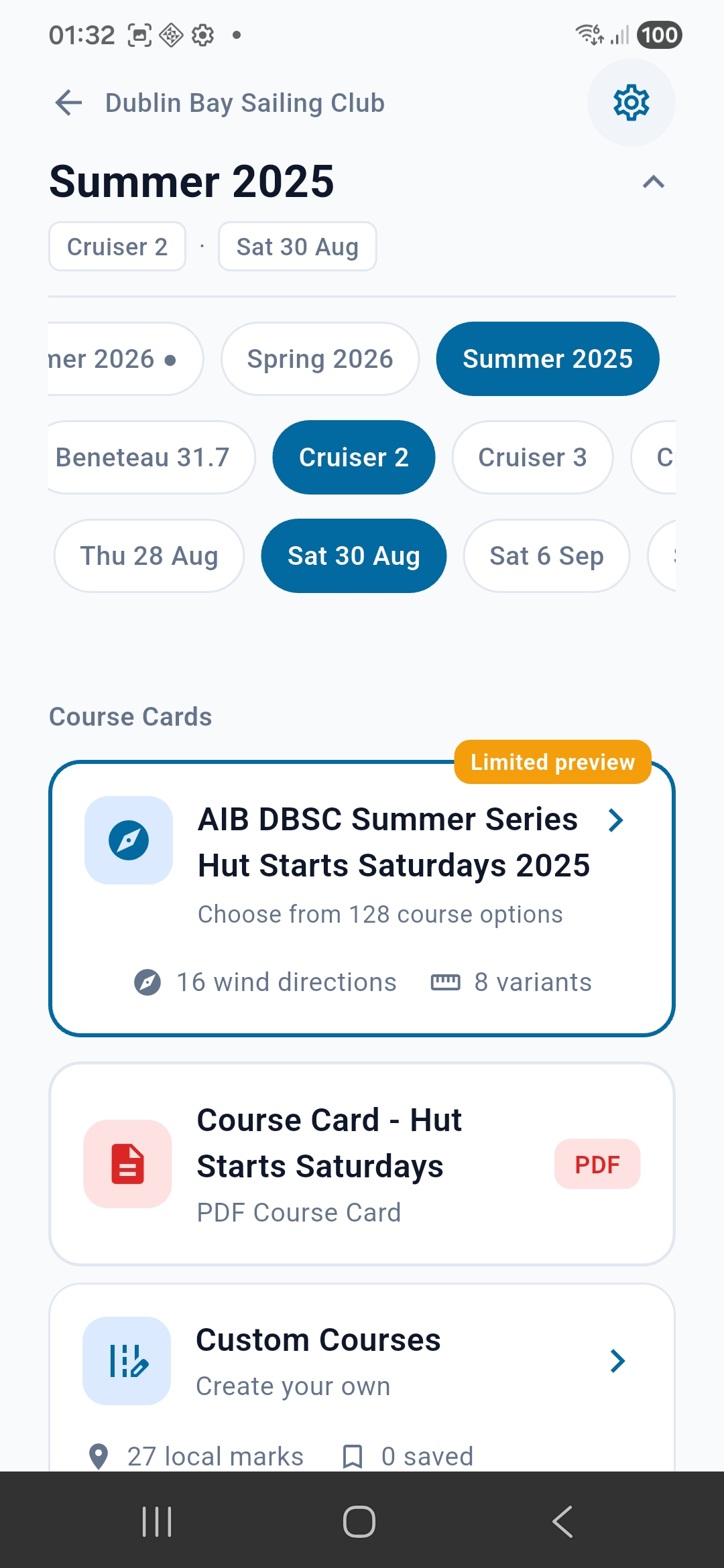
New shortcut cards for quick access to DBSC and HYC
Tap a shortcut to jump straight to the event page:
DBSC Summer 2025 — filter by class and date
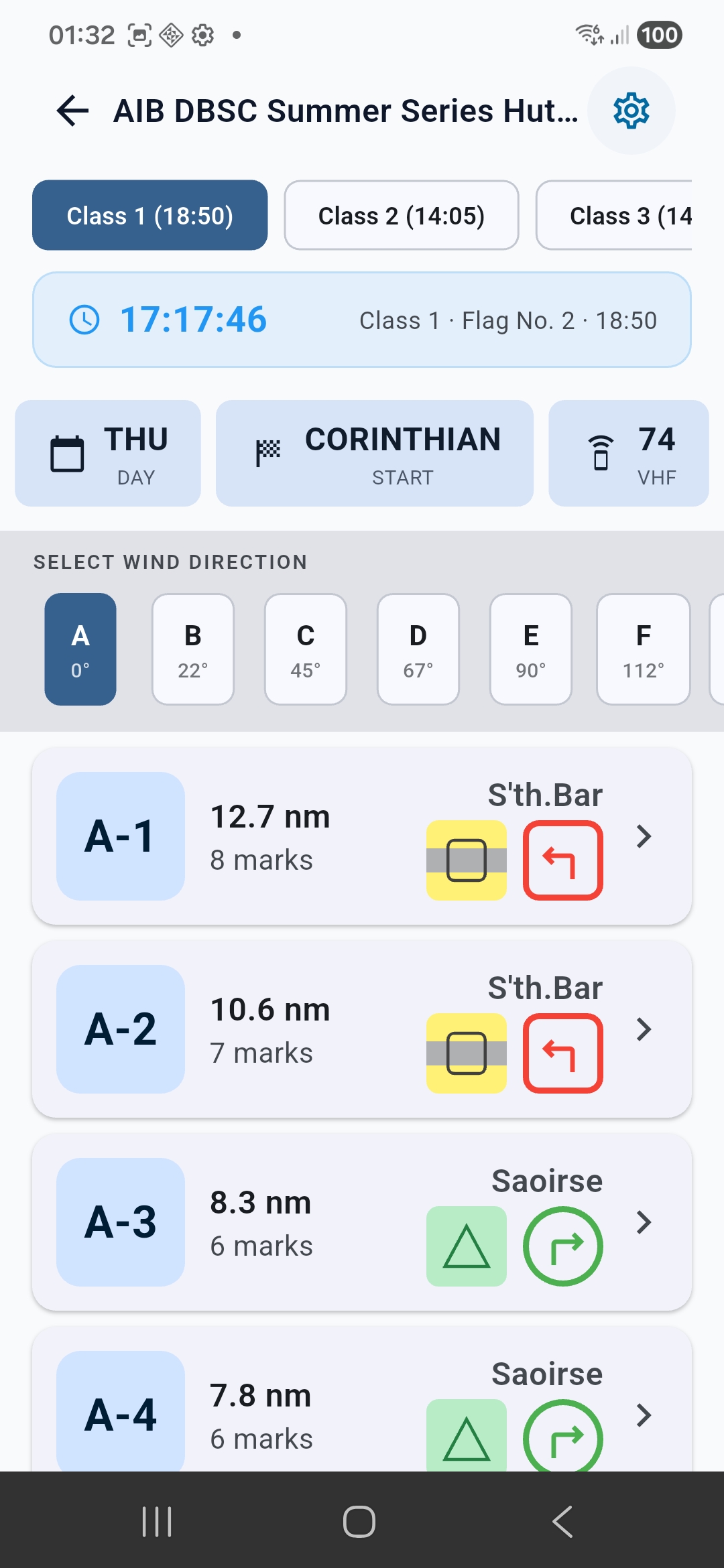
Then browse courses by wind direction:
Course options with mark icons and rounding directions
Local Marks Page
Added colour/appearance text below each mark name (e.g., "Orange Cone", "Yellow-Black-Yellow (YBY)")
Makes it easier to identify marks without relying solely on the icon
Mark Icon Colours Fixed
Merrion (L) — Now correctly shows Black-Yellow-Black (BYB) pattern
Molly (N) — Now correctly shows 5-stripe Yellow-Black-Yellow-Black-Yellow (YBYBY) pattern
Battery (T) — Now correctly shows White-Green (WG) stripes
Navigation Dashboard
Fixed layout overflow when mark names wrap to two lines
Dashboard now adapts height to content instead of clipping
Please test: Use the DBSC shortcut to jump in, pick a course, and start navigation. Check that Merrion, Molly, and Battery show correct colour patterns in Local Marks.
Navigator tier testers: Please check if the device rotation / compass heading seems correct for you. We're investigating reports of erratic compass behaviour on some Android devices.